Design with Reach: Principles of Ergonomics and Accessibility in Design
The Comprehensive Guide to Design with Reach
In the fields of industrial design, architecture, and interior planning, the physical relationship between a human user and their environment is a fundamental technical requirement. The concept of “reach” refers to the comfortable and safe distance an individual can extend their limbs to interact with objects, controls, or surfaces. When professionals prioritize a design with reach approach, they are applying anthropometric data—the study of human body measurements—to ensure that environments are efficient, inclusive, and ergonomically sound.
Understanding these spatial dynamics is essential for creating spaces that accommodate a broad spectrum of human diversity, including differences in height, age, and mobility. This guide provides a neutral, detailed overview of how reach envelopes are calculated, the various categories of accessibility standards, and the practical logistical considerations for implementing these principles in real-world scenarios. Readers will learn how to evaluate spatial layouts, understand the implications of different reach ranges, and manage the long-term functionality of inclusive design.
Understanding Design with Reach
The core concept of design with reach is the optimization of the “reach envelope,” a three-dimensional space surrounding a person within which they can comfortably operate. This envelope is bifurcated into two primary zones: the “functional reach” (the distance reached while keeping the back against a support) and the “maximum reach” (the distance reached by leaning or stretching). In professional design, these measurements are not guessed but are derived from the 5th and 95th percentile data of a target population to ensure that at least 90% of users can operate within the space without strain.
People commonly approach this discipline when designing kitchens, workstations, medical facilities, and public infrastructure. The typical goal is to eliminate “ergonomic friction”—the physical strain caused by overextending, bending, or reaching into blind spots. Expectations involve a layout where the most frequently used items are located within the “primary reach zone” (near the body), while less frequent tasks are relegated to the secondary or tertiary zones. The outcome of a successful reach-centric design is an environment that reduces the risk of musculoskeletal injury and enhances the independence of users with limited range of motion.
Key Categories and Reach Envelopes
Reach standards are categorized by the user’s posture and the direction of the movement. These categories are often governed by civil standards, such as the Americans with Disabilities Act (ADA) in the United States.
Reach Standard Comparison Table
| Category / Type | Description | Common Use Case | Effort / Cost Level |
| Forward Reach | Reaching straight ahead over an obstruction or clear space. | Kitchen counters; service desks; ATM machines. | Moderate |
| Side (Lateral) Reach | Reaching to the side of the body, often from a seated position. | Workstations; bathroom fixtures; light switches. | Low to Moderate |
| Seated Reach | Standardized for wheelchair users or office personnel. | Accessible vanities; lower cabinetry; desks. | Moderate |
| Standing Reach | Optimized for the average adult height while standing. | Retail shelving; high-level storage; thermostats. | Low |
| Over-the-Counter | Reaching across a surface to access a point beyond it. | Kitchen sinks; reception desks; assembly lines. | High |
Choosing between these approaches requires a detailed analysis of the primary user. For public spaces, a “universal design” approach is used, which defaults to the most restrictive reach range (typically the seated seated reach) to ensure that both standing and seated users can access the same controls. In private residential design, a design with reach strategy may be customized specifically to the occupant’s personal measurements.
Practical Scenarios or Thematic Applications
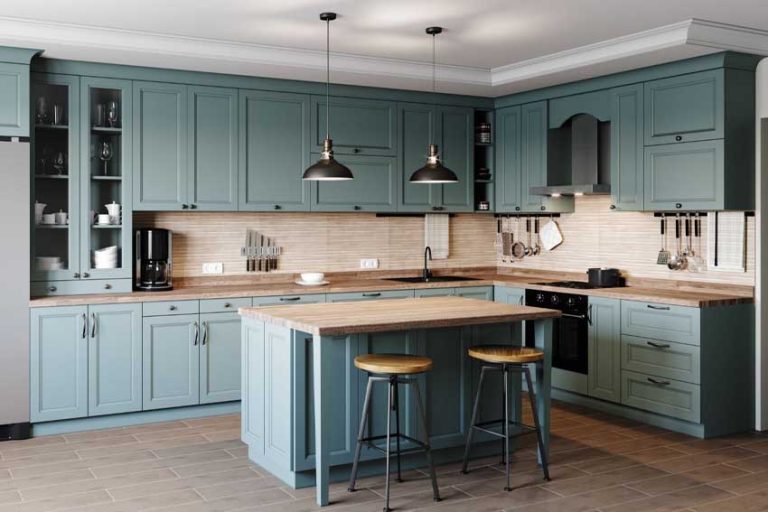
Scenario 1: The Ergonomic Residential Kitchen
Focuses on the “Work Triangle” but adapts it to the specific reach capabilities of the cook to minimize bending and stretching.
-
Components: Pull-down shelving, drawer-based appliances, and varied counter heights.
-
Steps: Map the user’s maximum comfortable reach height, install frequently used spice racks and utensils within the 15-to-48-inch vertical zone, and utilize pull-out pantries.
-
Relevance: This scenario is critical for aging-in-place, as it reduces the need for step stools or deep bending, which can lead to falls.
Scenario 2: The Accessible Public Service Kiosk
Ensures that all members of the public can interact with digital interfaces or paper documents.
-
Components: Angled touchscreens, knee clearance for wheelchairs, and tactile controls.
-
Steps: Position the highest operable part of the kiosk no higher than 48 inches and ensure a clear floor space of 30 by 48 inches for a stationary wheelchair.
-
Relevance: This application demonstrates the legal and social necessity of inclusive reach, ensuring that height or mobility does not prevent access to essential services.
Scenario 3: The Industrial Assembly Workstation
Optimizes reach to increase speed and decrease repetitive strain injuries in a factory setting.
-
Components: Adjustable-height benches, gravity-feed bins, and tool balancers.
-
Steps: Place the most frequent components within a 10-inch radius of the worker’s neutral hand position and use foot pedals for secondary triggers.
-
Relevance: In this scenario, reach is a metric of economic productivity; minimizing the “distance traveled” by the arm can save thousands of hours over a production cycle.
Comparison: Scenario 1 focuses on safety and comfort; Scenario 2 on legal accessibility; Scenario 3 on industrial efficiency. Readers should evaluate their project based on which of these three outcomes is the primary priority.
Planning, Cost, and Resource Considerations
Implementing a design with reach framework requires early-stage planning, as altering the height of electrical outlets, plumbing, or structural counters is expensive once construction is finalized.
Sample Planning & Budget Table
| Category | Estimated Amount / Effort | Explanation | Optimization Tips |
| Anthropometric Audit | 2–8 Hours | Measuring the specific user or referencing percentile tables. | Use universal 15″-48″ standards for general use. |
| Custom Cabinetry | +20% to +40% cost | Modifications like toe-kick drawers or lowered counters. | Use “off-the-shelf” ADA-compliant cabinets to save. |
| Hardware Upgrades | $50 – $200 per unit | Pull-down inserts, motorized lifts, or D-shaped handles. | Prioritize the “Primary Zone” (sink/stove) if budget is tight. |
| Electrical/Plumbing | $150 – $500 per room | Relocating outlets and valves to accessible heights. | Plan the “rough-in” phase to avoid wall demolition later. |
Note: Figures are illustrative examples and will vary based on regional labor rates and the complexity of the adaptive technology used.
Strategies, Tools, and Support Options
Several methodologies exist to help designers visualize and implement reach-centric layouts.
-
Mock-up Prototyping: Creating full-scale cardboard or foam models of a space.
-
Advantages: Allows the user to physically test reach before expensive materials are cut.
-
Disadvantages: Requires physical space and time to construct.
-
-
Digital Human Modeling (DHM): Software that inserts a 3D human mannequin into a CAD drawing.
-
Advantages: Can instantly toggle between a 5th percentile female and 95th percentile male.
-
Disadvantages: Requires specialized software and training.
-
-
The “High-Low” Rule: Strategically placing items between 15 inches (minimum) and 48 inches (maximum) from the floor.
-
Advantages: Simple to implement; covers the vast majority of accessibility codes.
-
Disadvantages: May result in wasted storage space at the very top or bottom of a room.
-
-
Motorized Adjustability: Using actuators to move counters or desks up and down.
-
Advantages: Provides a perfect reach envelope for multiple users of different heights.
-
Disadvantages: High cost and mechanical complexity.
-
Safety, Risks, and Common Challenges
-
The “Obstruction” Problem: Reach depth is significantly reduced when reaching over an object. Issue: A user may reach 48 inches high normally, but only 44 inches if they must reach over a 20-inch deep counter. Mitigation: Ensure obstructions do not exceed 24 inches in depth.
-
Overextension Injuries: Repeatedly reaching beyond the “comfort zone” can cause shoulder impingement. Prevention: Keep the 80% most-used items within the primary reach circle (elbow-to-hand).
-
Pinch Points: Moving parts (like pull-down shelves) can trap fingers. Risk: Mechanical failure or user error. Mitigation: Use “soft-close” hardware and shielded mechanisms.
-
Static Load: Holding a reach for too long (e.g., a high-mounted touchscreen) causes muscle fatigue. Prevention: Ensure interaction times at high/low reach points are brief.
Maintenance, Best Practices, and Long-Term Management
A space designed for reach remains functional only if it is managed and reviewed as the user’s needs change over time.
-
Checklist for Best Practices:
-
Annual Review: For aging-in-place, reassess if items in high cabinets need to be moved to waist-level drawers.
-
Hardware Lubrication: Mechanical pull-downs and sliding shelves require silicone-based lubricants to maintain the “low-force” operation required for easy reach.
-
Clear Floor Space: Ensure that the 30″ x 48″ approach area remains free of rugs or clutter that could obstruct a wheelchair’s approach to a reach point.
-
Lighting Verification: A reach point is only useful if it is visible. Ensure that deep cabinets or low drawers have adequate internal illumination.
-
Documentation and Reporting
In commercial and medical environments, documenting reach compliance is a legal requirement.
Tips for Organizing Information:
-
Keep a “Space Plan” that identifies the heights of all operable parts (thermostats, handles, card readers).
-
Note the “Reach Range” used (e.g., “Compliant with ADA Section 308”).
Illustrative Examples:
-
Corporate Audit: An office manager documents that all new printer stations have a 10-inch maximum reach over the counter, ensuring the company meets disability employment standards.
-
Residential Planning: A designer provides a “User-Space Map” for a client with arthritis, showing exactly where all heavy kitchen items are located within their pain-free reach zone.
FAQ
Q: What is the “Comfortable Reach Zone”?
A: It is generally defined as the area between the waist and the shoulders. Operating within this vertical window minimizes the strain on the spine and rotator cuffs.
Q: Does reach change with age?
A: Yes. Due to changes in spinal compression and joint flexibility, the maximum reach of an individual typically decreases by 1 to 3 inches every decade after age 60.
Q: Can “Design with Reach” be applied to small spaces?
A: Yes. In small spaces, reach-centric design often uses vertical carousels and rotating shelves to bring items from the back of a cabinet into the primary reach zone.
Closing Summary
A design with reach strategy is the cornerstone of inclusive and ergonomic architecture. By prioritizing the human reach envelope and utilizing anthropometric data, designers can create environments that are not only efficient but also safe for a diverse population. Whether implementing universal standards in public infrastructure or customizing a residential kitchen for aging-in-place, the goal remains the same: to harmonize the physical environment with the natural capabilities of the human body. Success in this discipline relies on early planning, the use of adjustable technologies, and a commitment to long-term best practices that accommodate the evolving needs of the user.